The person is clearly visible
Use a sharp photo without heavy filters. Keep hands and large bags away from the try-on area. A natural pose with a visible silhouette gives the AI a clearer clothing reference.
PHOTO GUIDE
Show the person, the item and the area where you want to wear it clearly.
Start a try-onSign in with Google or Yandex. Your first sign-in creates an account.
How it works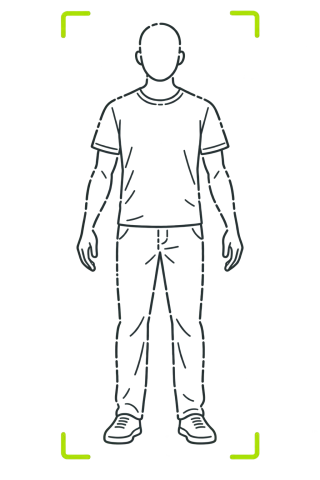
Choose your photo format for the item. Trousers and shoes need visible legs and feet, headwear needs a visible head, and outerwear needs the torso and arms. If the relevant area is outside the photo, the AI cannot reliably show the item worn there.
You do not need a professional photoshoot. A sharp image, even lighting, a natural pose and a separate item photo provide more useful information than heavy filters or elaborate editing.
STEP BY STEP
For a complete outfit, show yourself from head to shoes. Leave a little space around your body and keep hands and feet inside the frame.
Works for tops and accessories when the relevant area is visible. Keep your face and torso in the frame; do not expect a bottom or shoe try-on outside it.
Move your phone to one side so it does not hide your face or clothing. Use a clean mirror, even light and an angle without a strong tilt.
Use a sharp photo without heavy filters. Keep hands and large bags away from the try-on area. A natural pose with a visible silhouette gives the AI a clearer clothing reference.
Photograph the entire item on a simple background or choose a reference where it is clearly visible. Avoid multi-product collages, text covering the item and cropped sleeves or shoes.
If adding fit settings, enter flat garment width and length in centimetres. Do not enter circumference as width. A label size helps, but it is not consistent across brands.
No. A calm background and good lighting are enough for the person photo. A simple item background helps separate it from other objects; it does not have to be white.
It is better not to hide your face if you want it preserved in the result. Move the phone to one side in a mirror photo. An obscured face gives the AI less information.
Not always. A clearly visible head, torso and arms can be enough for a top. A full-length photo is better for a complete outfit, bottoms and footwear.
Where possible, choose a separate photo of the item or crop out other pieces without cropping the item itself. A clear reference reduces the risk of transferring the wrong elements.
Yes. The fitting room lets you choose a photo or take one with the camera. Camera availability depends on your device, browser and permissions.
Preview how pieces work together on your own photo before deciding what to wear.
Learn moreTalk through colours, silhouettes and outfit details with AI, including feedback on a photo.
Learn moreAdd a hat, glasses, bag or another wearable item to a look on your own photo.
Learn moreAdd your photo, upload your items and build a look in the fitting room.